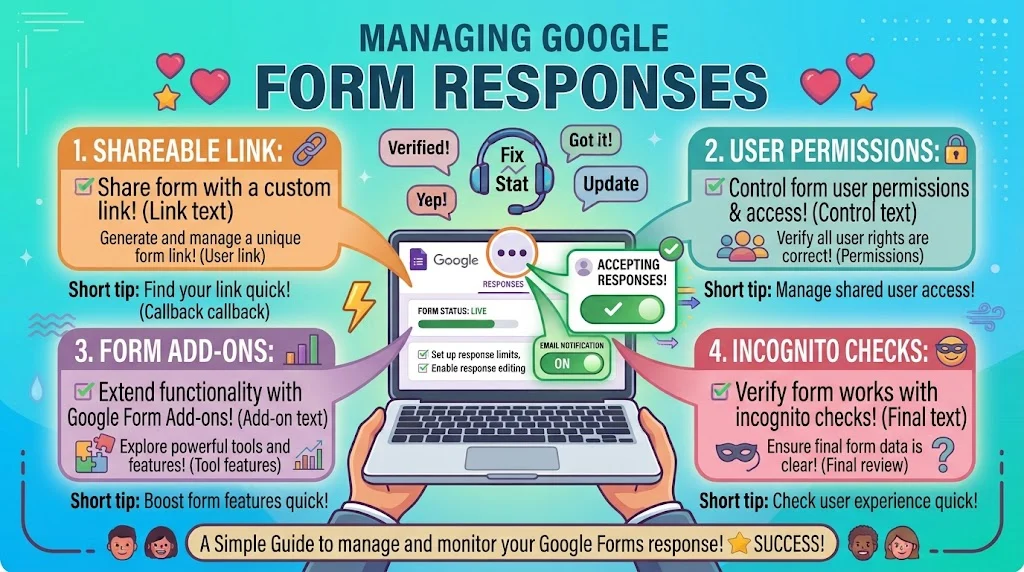
Most of the time your Google Form is closed, the toggle is off, you are not the owner, or the file was moved or restricted. Top alternatives: check accepting responses, confirm ownership, test in incognito, review sharing permissions, check for add-on conflicts.
Why is my Google Form not accepting responses is one of the most searched Google Forms questions, and the answer is usually simpler than you think. Maybe the Accepting responses toggle is off, maybe your account lost edit access, or maybe the form was moved to a folder with restricted permissions. Whatever the cause, a calm answer saves everyone a headache.
Whether you are replying in a team chat, answering a client email, or explaining it to a frustrated colleague, the right words keep things moving. This guide gives you 170+ ready-to-use lines for every situation, from quick fixes to patient walkthroughs.
Quick Diagnostic Responses
- “Check the Responses tab first. The Accepting responses toggle may be off.”
- Example: Use when a colleague says the form is not working.
- Meaning: It points to the most common cause.
- “Make sure you are signed in with the account that owns the form.”
- Example: Use when someone cannot find the toggle.
- Meaning: It rules out an account mix-up.
- “Confirm the form is published and shared with the right audience.”
- Example: Use when links seem dead.
- Meaning: It catches a permissions gap.
- “Try opening the form in an incognito window to rule out browser issues.”
- Example: Use when submissions fail on one device.
- Meaning: It isolates the problem fast.
- “Check if the form was moved to a shared drive with restricted access.”
- Example: Use in a workspace setting.
- Meaning: It flags a permissions change.
- “Look for add-ons that might be blocking submissions.”
- Example: Use when the form worked before.
- Meaning: It points to a hidden culprit.
- “Test with a single question to see if the form saves and submits.”
- Example: Use when a fresh form fails.
- Meaning: It narrows the issue.
- “Review the form’s settings for any response limits you set earlier.”
- Example: Use when a form closes unexpectedly.
- Meaning: It catches forgotten limits.
- “Make sure the form link is the live link, not an edit link.”
- Example: Use when people send the wrong URL.
- Meaning: It fixes a common share mistake.
- “Open the form in a different browser or device to compare results.”
- Example: Use when one user cannot submit.
- Meaning: It tests the user side.
- “Check your Google account status. Suspended accounts cannot accept responses.”
- Example: Use when everything looks correct.
- Meaning: It points to an account issue.
- “Confirm the form is not set to collect responses only from your organization.”
- Example: Use when outside users cannot submit.
- Meaning: It explains a restriction.
Polite And Professional Responses
- “Thanks for flagging this. Let us check the Accepting responses toggle first.”
- Example: Use in a work email.
- Meaning: It is respectful and action-focused.
- “The form appears to be closed. I will reopen it now.”
- Example: Use when replying to a client.
- Meaning: It reassures with a fix.
- “Could you confirm which link you are using? It may be the edit link.”
- Example: Use when someone reports an error.
- Meaning: It is polite and precise.
- “I have tested the form on my end and it is working. Please try incognito.”
- Example: Use in a support reply.
- Meaning: It offers a clear next step.
- “It looks like the form is restricted to our organization. I will adjust the settings.”
- Example: Use when external users report issues.
- Meaning: It explains the cause kindly.
- “Thank you for your patience. We are looking into the submission issue.”
- Example: Use in a follow-up email.
- Meaning: It shows care.
- “Please make sure you are signed in with the correct Google account.”
- Example: Use when a user is stuck.
- Meaning: It is helpful and gentle.
- “The form is now accepting responses again. Apologies for the inconvenience.”
- Example: Use after a fix.
- Meaning: It closes the loop politely.
- “I would recommend clearing your browser cache and trying again.”
- Example: Use in a support message.
- Meaning: It is a simple, safe step.
- “If the issue continues, please send a screenshot so I can look closer.”
- Example: Use when the problem is unclear.
- Meaning: It invites a useful next step.
- “We have confirmed the form is live and collecting responses.”
- Example: Use in a status update.
- Meaning: It confirms the fix.
- “Let me know if you would like me to walk you through the settings.”
- Example: Use in a closing line.
- Meaning: It offers support.
Funny And Relatable Responses
- “The form said not today. The toggle is probably off.”
- Example: Use when a friend asks why it is not working.
- Meaning: It keeps the mood light.
- “My form went on strike. Turns out I turned off accepting responses.”
- Example: Use when admitting your own mistake.
- Meaning: It is honest and funny.
- “You are using the edit link. The form is not broken. You are just early.”
- Example: Use in a group chat.
- Meaning: It is playful and clear.
- “The form is closed. It has entered its quiet era.”
- Example: Use in a casual update.
- Meaning: It adds trendy humor.
- “I clicked the toggle so many times I think I invented a new setting.”
- Example: Use when troubleshooting drags on.
- Meaning: It is relatable.
- “The form works. Your browser is just being dramatic.”
- Example: Use with a coworker.
- Meaning: It is teasing and helpful.
- “We reached the response limit. The form is fully booked.”
- Example: Use when announcing closure.
- Meaning: It is funny and clear.
- “The form said no. I said please. It said no again.”
- Example: Use in a meme-style post.
- Meaning: It captures the frustration.
- “It is not you. It is the permissions. Very on brand for Google.”
- Example: Use in a team thread.
- Meaning: It is wry and accurate.
- “My form ghosted everyone. Turns out it was restricted to one domain.”
- Example: Use when explaining the issue.
- Meaning: It is playful.
- “The toggle was hiding in plain sight. Classic.”
- Example: Use when the fix is obvious.
- Meaning: It is self-aware.
- “The form is fine. The link was the villain all along.”
- Example: Use when sharing the solution.
- Meaning: It is dramatic and funny.
Step-By-Step Fix Responses
- “Open the form, go to Responses, and check that Accepting responses is toggled on.”
- Example: Use when giving precise instructions.
- Meaning: It removes guesswork.
- “If the toggle is greyed out, confirm you are the owner or an editor.”
- Example: Use when someone cannot change settings.
- Meaning: It explains the permission issue.
- “Copy the form link from the Send button, not the browser address bar.”
- Example: Use when links look wrong.
- Meaning: It fixes the URL source.
- “Click Send, choose the link icon, and shorten the URL before sharing.”
- Example: Use when sharing widely.
- Meaning: It reduces errors.
- “Test the form in an incognito window while signed out.”
- Example: Use when verifying public access.
- Meaning: It simulates an outside user.
- “Check File, then Share, and confirm who has access to the form.”
- Example: Use when external users report issues.
- Meaning: It shows the sharing model.
- “If you used formLimiter, confirm it is not set to close automatically.”
- Example: Use when a form closes on its own.
- Meaning: It checks the add-on.
- “Review the form’s settings for any organization-only restriction.”
- Example: Use in a Workspace account.
- Meaning: It surfaces a hidden limit.
- “Duplicate the form and test the copy with one submission.”
- Example: Use when the original misbehaves.
- Meaning: It isolates the issue.
- “Clear your browser cache and reload the form before testing again.”
- Example: Use when the interface is stuck.
- Meaning: It resolves display errors.
- “Turn off all add-ons, then re-enable them one at a time.”
- Example: Use when a conflict is suspected.
- Meaning: It finds the culprit.
- “Document the fix in your team notes so nobody repeats the search.”
- Example: Use after resolving the issue.
- Meaning: It saves future time.
Beginner-Friendly Responses
- “No worries. The toggle is easy to miss. It lives in the Responses tab.”
- Example: Use when a new user is stuck.
- Meaning: It is reassuring and clear.
- “Think of it like a light switch. If it is off, nobody can submit.”
- Example: Use when explaining the setting.
- Meaning: It makes the concept simple.
- “You do not need to rebuild the form. We just need to flip one setting.”
- Example: Use when someone panics.
- Meaning: It calms them down.
- “Start by opening the form on a desktop. It is easier than the app.”
- Example: Use when someone is on mobile.
- Meaning: It sets them up for success.
- “If you cannot find the toggle, take a screenshot and I will point it out.”
- Example: Use when words are not enough.
- Meaning: It offers visual help.
- “The form is probably fine. We just need to check access and links.”
- Example: Use when someone assumes the worst.
- Meaning: It builds confidence.
- “Try it with one test response. That tells us everything.”
- Example: Use when diagnosing.
- Meaning: It keeps the task small.
- “You do not need any code for this. It is all in the settings.”
- Example: Use when someone expects complexity.
- Meaning: It removes fear.
- “If you see a message about permissions, that is the clue we need.”
- Example: Use when guiding a beginner.
- Meaning: It teaches them what to look for.
- “Ask a friend to open the link and tell you what they see.”
- Example: Use when testing alone is hard.
- Meaning: It gives real feedback.
- “It is okay to test twice. That is how everyone learns this tool.”
- Example: Use when someone hesitates.
- Meaning: It is patient.
- “Once it is on, share the link from the Send menu. That is the safe link.”
- Example: Use as a final tip.
- Meaning: It prevents repeat issues.
Troubleshooting Deep Dive Responses
- “Check if the form is in a shared drive with view-only access for respondents.”
- Example: Use when the link loads but submits fail.
- Meaning: It points to a drive-level issue.
- “Look for a custom script that might be closing the form automatically.”
- Example: Use when the form closes unpredictably.
- Meaning: It surfaces an automation problem.
- “Confirm your Google account has not hit a storage or service limit.”
- Example: Use when nothing else makes sense.
- Meaning: It checks an account-level cause.
- “Review the form’s version history if a recent edit broke submissions.”
- Example: Use when it worked yesterday.
- Meaning: It traces the change.
- “Check whether your organization blocks forms outside the domain.”
- Example: Use in a corporate setting.
- Meaning: It explains a policy block.
- “Try the form on mobile data instead of Wi-Fi to rule out network filters.”
- Example: Use when only one network fails.
- Meaning: It tests connectivity.
- “Make sure you are not using an old copy of the form after editing.”
- Example: Use when changes do not appear.
- Meaning: It fixes a version mismatch.
- “If you embedded the form, confirm the embed code was updated.”
- Example: Use when submissions fail on a website.
- Meaning: It checks the embed setup.
- “Review any third-party integrations that might lock the form.”
- Example: Use when connected tools are in play.
Meaning: It finds an outside blocker.
- Example: Use when connected tools are in play.
- “Test with a different Google account to confirm the issue is account-specific.”
- Example: Use when one user cannot submit.
- Meaning: It narrows the cause.
- “Check if the form was deleted or moved to trash by accident.”
- Example: Use when the link shows an error.
- Meaning: It rules out a simple loss.
- “If nothing works, rebuild the form as a copy and migrate the questions.”
- Example: Use as a last resort.
- Meaning: It gives a clean start.
Firm And Direct Responses
- “The form is closed. Turn on Accepting responses in the Responses tab.”
- Example: Use when someone needs a straight answer.
- Meaning: It is clear and final.
- “You are sharing the edit link. Use the Send menu link instead.”
- Example: Use when a team shares the wrong URL.
- Meaning: It corrects the mistake.
- “Only editors can change the settings. Ask the owner for access.”
- Example: Use when someone cannot find the toggle.
- Meaning: It sets a permission boundary.
- “Do not rebuild it yet. Check the sharing permissions first.”
- Example: Use when someone panics.
- Meaning: It prevents wasted work.
- “The form is restricted to your organization. Fix the sharing settings.”
- Example: Use when external users fail.
- Meaning: It names the issue.
- “Stop using the old link. It points to a closed copy.”
- Example: Use when people report errors.
- Meaning: It ends confusion.
- “Test it in incognito before blaming the form.”
- Example: Use when browser issues are likely.
- Meaning: It pushes a quick check.
- “If the toggle will not save, clear the cache and try again.”
- Example: Use when the interface glitches.
- Meaning: It gives a direct fix.
- “Confirm the form is live before you send another email.”
- Example: Use in a launch checklist.
- Meaning: It prevents repeat errors.
- “The form is not broken. Your account lost edit access.”
- Example: Use when a coworker is stuck.
- Meaning: It is honest and precise.
- “Turn off the add-on and test the built-in settings alone.”
- Example: Use when conflicts are suspected.
- Meaning: It is a clear diagnostic step.
- “Do not share the link until a test submission works.”
- Example: Use in a team guideline.
- Meaning: It enforces quality.
Casual And Chill Responses
- “Yeah, the toggle is probably off. Quick fix.”
- Example: Use in a relaxed text.
- Meaning: It keeps things easy.
- “Just open the Responses tab and flip it on.”
- Example: Use in a group chat.
- Meaning: It is simple and friendly.
- “I checked, and it is working now. All good.”
- Example: Use after a fix.
- Meaning: It is reassuring.
- “You are probably using the wrong link. Happens all the time.”
- Example: Use in a casual reply.
- Meaning: It is honest and calm.
- “No big deal. It is just a permissions thing.”
- Example: Use when someone worries.
- Meaning: It reduces stress.
- “Give it a test run. That usually shows what is going on.”
- Example: Use when diagnosing casually.
- Meaning: It is practical.
- “Try incognito. It fixes weird stuff more often than it should.”
- Example: Use in a quick reply.
- Meaning: It is low-effort and useful.
- “Yeah, the form is live. You are good to share.”
- Example: Use in a final check.
- Meaning: It closes the loop.
- “It is not broken. It just needs the toggle flipped.”
- Example: Use when someone is frustrated.
- Meaning: It is calm and clear.
- “Check the sharing settings. That is usually the sneaky one.”
- Example: Use in a team chat.
- Meaning: It points to a common cause.
- “All sorted. The form is accepting responses again.”
- Example: Use after resolving it.
- Meaning: It is brief and positive.
- “We are back in business. Test it once and go.”
- Example: Use when wrapping up.
- Meaning: It is chill and confident.
Short And Simple Responses
- “Toggle is off.”
- Example: Use in a quick text.
- Meaning: It is direct.
- “Wrong link.”
- Example: Use when someone shares an edit URL.
- Meaning: It is clear.
- “Check permissions.”
- Example: Use in a fast reply.
- Meaning: It points to a fix.
- “Try incognito.”
- Example: Use when browser issues are likely.
- Meaning: It is quick.
- “Form is live.”
- Example: Use as a status update.
- Meaning: It confirms it works.
- “Restricted access.”
- Example: Use when external users fail.
- Meaning: It names the issue.
- “Test it once.”
- Example: Use when advising setup.
- Meaning: It is practical.
- “Owner only.”
- Example: Use when permissions block edits.
- Meaning: It explains the limit.
- “Add-on conflict.”
- Example: Use when a tool blocks submissions.
- Meaning: It is brief.
- “Clear cache.”
- Example: Use in a troubleshooting thread.
- Meaning: It is a quick step.
- “It is fixed.”
- Example: Use after resolving.
- Meaning: It is positive.
- “You are good.”
- Example: Use as a final check.
- Meaning: It is reassuring.
Empathetic And Patient Responses
- “I know this is frustrating. The fix is usually quick, I promise.”
- Example: Use when someone is upset.
- Meaning: It validates and calms.
- “Take your time. The toggle is easy to miss and that is not on you.”
- Example: Use when guiding a beginner.
- Meaning: It removes blame.
- “It is okay to test a few times. Everyone does this.”
- Example: Use when mistakes happen.
- Meaning: It is patient.
- “I understand the worry about missing responses. Let us fix it together.”
- Example: Use with an anxious client.
- Meaning: It offers partnership.
- “You are not the first person to ask this. It is a common issue.”
- Example: Use in a support reply.
- Meaning: It normalizes the struggle.
- “No rush. Once it is on, it handles itself.”
- Example: Use when someone is busy.
- Meaning: It is reassuring.
- “If it still fails, we will try the copy method. One step at a time.”
- Example: Use when troubleshooting continues.
- Meaning: It offers a path.
- “I am happy to stay with you until the test submission works.”
- Example: Use in live support.
- Meaning: It shows commitment.
- “It is completely fine to ask for help. These settings are small.”
- Example: Use when someone apologizes.
- Meaning: It is kind.
- “You are doing better than you think. This part is just fiddly.”
- Example: Use when someone doubts themselves.
- Meaning: It builds confidence.
- “We will get this sorted. And then you can forget about it.”
- Example: Use as a closing reassurance.
- Meaning: It ends on hope.
- “If it helps, I can send a screenshot of exactly where to click.”
- Example: Use when words are not enough.
- Meaning: It is thoughtful.
Confident And Expert Responses
- “The form is likely closed. I have seen this a hundred times.”
- Example: Use when diagnosing quickly.
- Meaning: It shows experience.
- “Check the Send link, not the address bar. That is almost always it.”
- Example: Use in a support thread.
- Meaning: It is precise.
- “If the toggle is greyed out, the account lost edit access. That is the root cause.”
- Example: Use when explaining a permission issue.
- Meaning: It is expert and clear.
- “Restricted domain settings block outside users. Adjust sharing to Anyone with the link.”
- Example: Use when external submissions fail.
- Meaning: It gives a solid fix.
- “Add-ons like formLimiter can close the form automatically. Check the settings.”
- Example: Use when it closes on its own.
- Meaning: It points to a known tool.
- “Test in incognito. It removes cached sessions and extension conflicts.”
- Example: Use when verifying public access.
- Meaning: It is methodical.
- “Duplicate the form if the settings will not save. It is a clean reset.”
- Example: Use as a decisive fix.
- Meaning: It is practical.
- “Document the fix so your team does not repeat the search next time.”
- Example: Use after resolving.
- Meaning: It adds long-term value.
- “Check the version history. A recent edit can break the live link.”
- Example: Use when it worked before.
- Meaning: It traces the change.
- “The built-in toggle is the fastest path. Skip the add-ons unless needed.”
- Example: Use when advising a team.
- Meaning: It is efficient.
- “Confirm the form is published. Draft forms do not accept responses.”
- Example: Use when a new form fails.
- Meaning: It catches an early gap.
- “If nothing works, rebuild it. The data matters more than the file.”
- Example: Use as a last resort.
- Meaning: It keeps priorities straight.
Creative And Clever Responses
- “Your form is a mailbox with the flag down. Flip the toggle and it will collect again.”
- Example: Use when explaining the fix.
- Meaning: It is a clear metaphor.
- “The form is not broken. It is just on airplane mode.”
- Example: Use in a casual explanation.
- Meaning: It is playful and clear.
- “Think of Accepting responses as the front door. Right now it is locked.”
- Example: Use in a tutorial.
- Meaning: It is memorable.
- “Your link is a ticket to the wrong venue. Use the Send menu link.”
- Example: Use when explaining URL issues.
- Meaning: It is clever.
- “The form is fine. The permissions are the bouncer at the door.”
- Example: Use in a team thread.
- Meaning: It is vivid.
- “A closed form is a pause, not a problem. One toggle fixes it.”
- Example: Use when calming someone.
- Meaning: It reframes the issue.
- “Your form is a shop with the sign flipped to Closed. Turn it back.”
- Example: Use when explaining the toggle.
- Meaning: It is simple and visual.
- “If the toggle will not move, you are not the keyholder. Ask for edit access.”
- Example: Use when permissions block changes.
- Meaning: It explains ownership.
- “The link is the messenger. Make sure it is the right one.”
- Example: Use when diagnosing shares.
- Meaning: It is clever.
- “Test submissions are like a dress rehearsal. Do one before the show.”
- Example: Use when advising a launch.
- Meaning: It is encouraging.
- “The form is a light switch. On means collecting. Off means silence.”
- Example: Use in a beginner guide.
- Meaning: It is clear.
- “One toggle, one link, one test. That is the whole fix.”
- Example: Use as a summary.
- Meaning: It is concise and clever.
Sarcastic And Witty Responses
- “Oh, the toggle is off. Who could have guessed.”
- Example: Use when the fix is obvious.
- Meaning: It is dry and funny.
- “Google hid the setting in the Responses tab. Sneaky.”
- Example: Use in a relatable post.
- Meaning: It acknowledges the irony.
- “You sent the edit link. Bold move.”
- Example: Use in a friendly jab.
- Meaning: It is teasing and clear.
- “The form is not broken. It is just following the rules you set.”
- Example: Use when a limit was hit.
- Meaning: It is witty.
- “Sure, keep refreshing. The toggle will not flip itself.”
- Example: Use when someone waits.
- Meaning: It is dryly helpful.
- “Your form is closed. It is not a mystery novel.”
- Example: Use in a quick reply.
- Meaning: It is blunt and funny.
- “Permissions said no. Permissions are very committed to the bit.”
- Example: Use when access is restricted.
- Meaning: It is witty.
- “The add-on closed the form. Very helpful of it.”
- Example: Use when a tool interferes.
- Meaning: It is sarcastic.
- “You are on the wrong link. The form is fine. You are just early to the wrong party.”
- Example: Use in a group chat.
- Meaning: It is funny and clear.
- “Incognito fixes more than it should. Try it before you panic.”
- Example: Use in a support thread.
- Meaning: It is wry.
- “The form works. Your browser is having a moment.”
- Example: Use with a coworker.
- Meaning: It is teasing.
- “Turn the toggle on. That is the whole plot twist.”
- Example: Use when wrapping up.
- Meaning: It is witty and final.
Time-Saving And Efficiency Responses
- “Set a reminder to check the toggle before you share any form.”
- Example: Use in a team checklist.
- Meaning: It prevents repeat issues.
- “Save the Send menu link as a template for future forms.”
- Example: Use when sharing best practice.
- Meaning: It cuts setup time.
- “Test with one submission before sending to your whole list.”
- Example: Use in a launch workflow.
- Meaning: It avoids mass errors.
- “Keep a short note on common fixes so support is faster.”
- Example: Use in a team wiki.
- Meaning: It builds a knowledge base.
- “Use incognito as your first check, not your last.”
- Example: Use when diagnosing.
- Meaning: It saves time.
- “Duplicate your working form as a template with the toggle already on.”
- Example: Use for recurring projects.
- Meaning: It speeds up launches.
- “Assign one editor to own the settings so nobody guesses.”
- Example: Use in a team setup.
- Meaning: It adds accountability.
- “Review add-ons before a big launch. They are a common culprit.”
- Example: Use in a pre-launch check.
- Meaning: It prevents surprises.
- “Bookmark the Responses tab so you can check it in one click.”
- Example: Use when monitoring often.
- Meaning: It saves steps.
- “Batch your fixes. Check toggle, link, and permissions in one pass.”
- Example: Use when troubleshooting.
- Meaning: It is efficient.
- “Confirm the form is live the same day you build it.”
- Example: Use in a workflow.
- Meaning: It builds a good habit.
- “Share one tested link, not three versions. It prevents confusion.”
- Example: Use in a team guideline.
- Meaning: It reduces errors.
Hopeful And Motivating Responses
- “This is a quick fix. You will be collecting responses in minutes.”
- Example: Use when someone is stressed.
- Meaning: It offers relief.
- “One toggle away from a working form. You have got this.”
- Example: Use in a pep talk.
- Meaning: It is encouraging.
- “You already built the form. The hard part is done.”
- Example: Use when someone is tired.
- Meaning: It builds momentum.
- “Test it once and you will know. Small step, big clarity.”
- Example: Use when someone hesitates.
- Meaning: It motivates action.
- “Every fix teaches you something. Next time it will take seconds.”
- Example: Use after resolving.
- Meaning: It frames growth.
- “Your form is not broken. It just needs a little attention.”
- Example: Use when someone panics.
- Meaning: It calms and motivates.
- “You are closer to a fix than you think.”
- Example: Use in a support reply.
- Meaning: It builds hope.
- “Take the win. Your form is working again.”
- Example: Use after resolving.
- Meaning: It celebrates progress.
- “This is how reliable workflows are built. One check at a time.”
- Example: Use when teaching a team.
- Meaning: It adds perspective.
- “You will look back at this and laugh. It is just a toggle.”
- Example: Use when someone is frustrated.
- Meaning: It lightens the mood.
- “Once it is fixed, you can focus on the responses, not the settings.”
- Example: Use as a closing thought.
- Meaning: It points to the payoff.
- “You handled this like a pro. Now go share that link.”
- Example: Use after a fix.
- Meaning: It is upbeat.
FAQs
Why is my Google Form not accepting responses?
The most common reasons are the Accepting responses toggle is off, you are sharing the edit link, the form is restricted to your organization, or an add-on has closed it.
How do I turn responses back on?
Open the form, go to the Responses tab, and toggle Accepting responses back on. Then test with one submission.
Why is the toggle greyed out?
You are likely not the owner or an editor. Ask the form owner for edit access, then try again.
Why can only some people submit?
Check the sharing settings. If the form is restricted to your organization, outside users will be blocked. Set it to Anyone with the link if needed.
Why does the form work for me but not others?
You may be signed in as the owner. Test in an incognito window while signed out to see what outside users experience.
Can an add-on stop responses?
Yes. Tools like formLimiter can close a form automatically when a limit or date is reached. Check the add-on settings first.
Conclusion
Why is my Google Form not accepting responses is usually a small setting, not a big disaster. Check the toggle, confirm the link, review permissions, and test in incognito. That sequence solves most cases in under five minutes. Keep this guide saved for the next time a form goes quiet.
Share it with your team, add the fixes to your checklist, and move on with confidence. Your form is not broken. It just needs one click.
