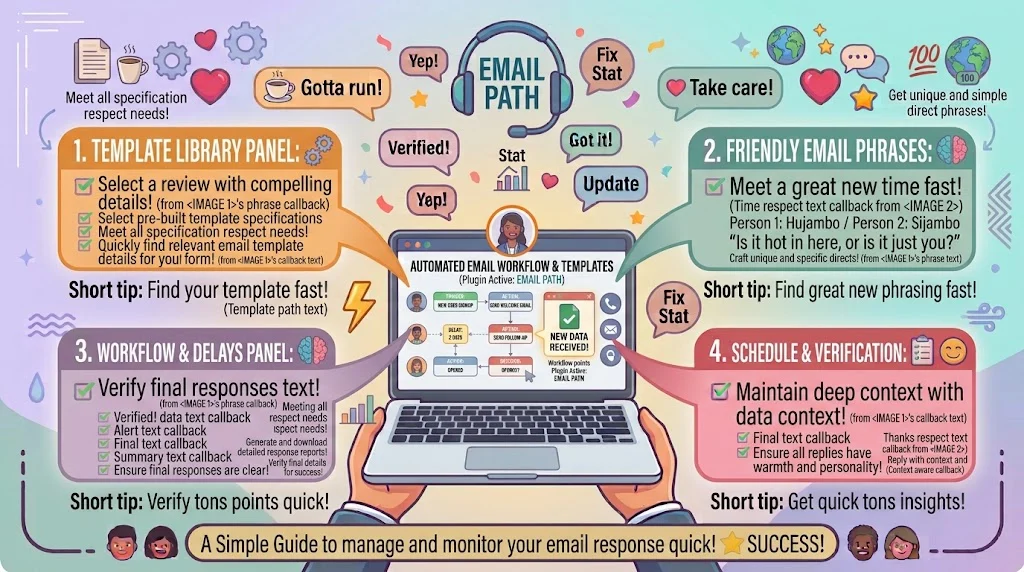
Automate email responses means setting up tools that send, sort, or schedule replies on your behalf so you stop typing the same message all day. Top alternatives: Set up an auto-reply, Use a template, Create a rule, Schedule a send, Let the workflow handle it.
Automate email responses is the phrase every busy team searches after spending another afternoon typing “thanks for reaching out” for the fifteenth time. Whether you are running a support inbox, managing client inquiries, or just drowning in follow-ups, automation can quietly handle the boring parts while you focus on real work.
The right reply when someone asks how it works matters more than you think. A clear answer saves everyone hours. A vague one leads to broken workflows and angry customers. This guide gives you 180+ ready-to-use lines for every tone and situation, from setup tutorials to troubleshooting to client explanations.
Helpful And Instructional Responses
- “You can automate email responses by creating a template and setting a rule to send it automatically.”
- Example: Use when a coworker asks where to start.
- Meaning: It gives the basic two-step foundation.
- “In Gmail, enable Templates in Settings, save a draft as a template, and insert it with a shortcut.”
- Example: Use for a quick Gmail walkthrough.
- Meaning: It names the exact feature path.
- “Use filters and rules to auto-sort incoming emails before you even open them.”
- Example: Use when someone wants less inbox clutter.
- Meaning: It explains triage automation.
- “Set up an out-of-office auto-reply so people know when to expect a response.”
- Example: Use before a vacation or busy week.
- Meaning: It manages expectations automatically.
- “Connect your form to an email tool so every submission triggers a confirmation message.”
- Example: Use for signups and inquiries.
- Meaning: It links automation to a workflow.
- “Use canned responses in your help desk so agents can reply with one click.”
- Example: Use when training support staff.
- Meaning: It speeds up repetitive replies.
- “Schedule emails to send at a specific time instead of writing them at midnight.”
- Example: Use when someone drafts late-night messages.
- Meaning: It automates timing, not just content.
- “Set a follow-up rule to nudge people automatically if they do not reply in three days.”
- Example: Use for sales and client pipelines.
- Meaning: It automates persistence.
- “Create a rule that sends a confirmation email whenever an invoice is received.”
- Example: Use for billing teams.
- Meaning: It closes a loop automatically.
- “Use a shared template library so your whole team sends consistent replies.”
- Example: Use when onboarding new staff.
- Meaning: It automates quality control.
- “Test your automation with a live email before you turn it on for everyone.”
- Example: Use before a big launch.
- Meaning: It prevents embarrassing errors.
- “Document your automation rules so nobody accidentally deletes them.”
- Example: Use when handing off tasks.
- Meaning: It protects the workflow long term.
Polite And Professional Responses
- “Thank you for reaching out. This is an automated confirmation that we have received your message.”
- Example: Use as your standard auto-reply text.
- Meaning: It is clear and courteous.
- “Please note that this inbox is monitored during business hours. Automated replies may be sent outside of these times.”
- Example: Use in your auto-reply footer.
- Meaning: It sets expectations honestly.
- “We have automated our responses to make sure every inquiry gets a quick acknowledgment.”
- Example: Use when explaining the system to a client.
- Meaning: It frames automation as a benefit.
- “Your request has been logged automatically and a team member will follow up within one business day.”
- Example: Use for support ticket confirmations.
- Meaning: It reassures with a timeline.
- “Thank you for your patience. This is an automated reminder that your response is pending.”
- Example: Use for follow-up workflows.
- Meaning: It nudges politely.
- “If your matter is urgent, please call us directly. Automated replies are not monitored around the clock.”
- Example: Use in an out-of-office message.
- Meaning: It provides a real alternative.
- “We appreciate your interest and have sent you an automated confirmation with next steps.”
- Example: Use for inbound sales inquiries.
- Meaning: It keeps momentum.
- “This message was sent automatically to confirm your booking. No action is needed.”
- Example: Use for appointment systems.
- Meaning: It removes confusion.
- “Please do not reply to this automated message. Contact us at the address below instead.”
- Example: Use in system-generated emails.
- Meaning: It redirects correctly.
- “We are using automation to respond faster while keeping every reply accurate.”
- Example: Use when explaining a new process.
- Meaning: It builds trust.
- “Automated responses are reviewed weekly to make sure the information stays current.”
- Example: Use in a process document.
Meaning: It shows maintenance.
- Example: Use in a process document.
- “Thank you for understanding. Our team reads every real reply, even if the first message was automated.”
- Example: Use in a friendly disclaimer.
- Meaning: It humanizes the system.
Funny And Relatable Responses
- “This is an automated reply. Do not worry, a real human will appear shortly.”
- Example: Use in a lighthearted auto-reply.
- Meaning: It keeps things friendly.
- “Your email has been received by the machine. The machine is very proud of itself.”
- Example: Use for a fun brand’s auto-reply.
- Meaning: It adds personality.
- “We automated our replies so we could finally answer emails before they age.”
- Example: Use in a company update.
- Meaning: It is honest and funny.
- “I used to type this exact sentence twenty times a day. Now the robot does it. I feel powerful.”
- Example: Use in a blog or social post.
- Meaning: It is relatable.
- “This reply was automated. My coffee break was not.”
- Example: Use as a quirky auto-responder.
- Meaning: It is playful.
- “The automation is working. The inbox is still chaos, but the automation is working.”
- Example: Use in a team chat.
- Meaning: It is funny and honest.
- “Your message has been sorted, tagged, and loved. Mostly tagged.”
- Example: Use in a creative auto-reply.
- Meaning: It is charming.
- “Beep boop. Kidding, a real person will reply soon. The robots are just handling the hello.”
- Example: Use for a friendly brand.
- Meaning: It is fun and clear.
- “We set up automation so you do not have to wait three days for a hello.”
- Example: Use in a customer-facing note.
- Meaning: It frames it as a win.
- “This is the part where the software works harder than me. Enjoy.”
- Example: Use in a personal auto-reply.
- Meaning: It is self-aware.
- “Automated replies: because copy-pasting the same sentence is not a personality.”
- Example: Use in a meme-style post.
- Meaning: It is witty.
- “The robot sent this. The robot also deserves a raise.”
- Example: Use in a lighthearted auto-message.
- Meaning: It adds humor.
Short And Snappy Responses
- “Set an auto-reply.”
- Example: Use in a quick text.
- Meaning: It is direct.
- “Use a template.”
- Example: Use for a fast suggestion.
- Meaning: It is simple.
- “Create a rule.”
- Example: Use in a setup chat.
- Meaning: It points to the feature.
- “Turn on auto-responder.”
- Example: Use for out-of-office.
- Meaning: It is clear.
- “Schedule it.”
- Example: Use for timed emails.
- Meaning: It is brief.
- “Save it as a draft.”
- Example: Use for templates.
- Meaning: It is practical.
- “Add a shortcut.”
- Example: Use in Gmail tips.
- Meaning: It saves time.
- “Automate the follow-up.”
- Example: Use in sales advice.
- Meaning: It is focused.
- “Test it first.”
- Example: Use before launch.
- Meaning: It prevents errors.
- “Check your rules.”
- Example: Use in troubleshooting.
- Meaning: It is a quick fix.
- “Use a canned reply.”
- Example: Use for support teams.
- Meaning: It is fast.
- “You are set.”
- Example: Use after setup.
- Meaning: It closes the loop.
Beginner-Friendly Responses
- “Automating email responses just means setting up a reply once so it sends itself later. Start with an out-of-office message.”
- Example: Use when explaining to a first-timer.
- Meaning: It makes the concept simple.
- “You do not need any code. Most email tools have a templates or rules tab built in.”
- Example: Use when someone expects it to be hard.
- Meaning: It removes fear.
- “Start with one template for your most common email. That is enough for week one.”
- Example: Use when someone feels overwhelmed.
- Meaning: It keeps it manageable.
- “A filter is just a rule that says if this email arrives, do this with it.”
- Example: Use when explaining filters.
- Meaning: It uses plain language.
- “Test the automation by sending yourself an email. If it works, you are ready.”
- Example: Use as a first step.
- Meaning: It builds confidence.
- “You can turn automation off anytime. Nothing is permanent.”
- Example: Use when someone hesitates.
- Meaning: It lowers the risk.
- “Keep your first template short. Long messages are harder to personalize later.”
- Example: Use when writing templates.
- Meaning: It is practical advice.
- “If the reply sounds robotic, add one friendly line at the start.”
- Example: Use when editing a template.
- Meaning: It improves tone.
- “You only need to set this up once. It runs on its own after that.”
- Example: Use when someone worries about upkeep.
- Meaning: It shows the payoff.
- “Start with your out-of-office, then add a template, then add a rule. Three small steps.”
- Example: Use when creating a plan.
- Meaning: It breaks it down.
- “It is okay if the first version is not perfect. You can edit it anytime.”
- Example: Use when someone doubts themselves.
- Meaning: It gives permission.
- “Once you see it work, you will want to automate everything.”
- Example: Use as encouragement.
- Meaning: It is motivating.
Confident And Expert Responses
- “Use templates for content, filters for sorting, and rules for triggers. That is the whole system.”
- Example: Use when advising a team lead.
- Meaning: It gives a clear framework.
- “Automation is not about replacing replies. It is about protecting time for the ones that matter.”
- Example: Use in a strategy meeting.
- Meaning: It reframes the purpose.
- “Always pair auto-replies with a real follow-up. The first message buys time, the second one builds trust.”
- Example: Use when designing a workflow.
- Meaning: It is a strong principle.
- “Set your rules to tag, not delete. You want a record, not a black hole.”
- Example: Use in a setup guide.
- Meaning: It prevents data loss.
- “Test every workflow with a live email before it touches a customer.”
- Example: Use before launch.
- Meaning: It is a non-negotiable step.
- “Keep templates under 120 words. Short replies get read, long ones get skipped.”
- Example: Use when writing copy.
- Meaning: It is practical expertise.
- “If your tool supports variables, use them. A name in the first line changes everything.”
- Example: Use in template design.
- Meaning: It improves personalization.
- “Audit your automations every quarter. Old rules create new problems.”
- Example: Use in a maintenance plan.
- Meaning: It shows long-term thinking.
- “Document each workflow with a screenshot. Future you will forget how it was built.”
- Example: Use when handing off tasks.
- Meaning: It prevents chaos.
- “Route urgent keywords to a human queue. Automation should not swallow emergencies.”
- Example: Use for support inboxes.
- Meaning: It protects customers.
- “Use a shared template library so quality does not depend on who is on shift.”
- Example: Use for growing teams.
Meaning: It scales consistency.
- Example: Use for growing teams.
- “The best automation is invisible. Customers should feel helped, not processed.”
- Example: Use as a guiding rule.
- Meaning: It keeps focus on experience.
Troubleshooting Responses
- “If your auto-reply is not sending, check that the rule is enabled and the date range is correct.”
- Example: Use when someone reports a silent workflow.
- Meaning: It points to the likely cause.
- “If the template is sending to the wrong people, review the filter conditions.”
- Example: Use when automation misfires.
- Meaning: It isolates the error.
- “If the automation stopped after an update, re-save the rule and test again.”
- Example: Use after tool changes.
Meaning: It resets the system.
- Example: Use after tool changes.
- “If a customer got the same reply twice, check for duplicate rules.”
- Example: Use for repeated sends.
- Meaning: It catches overlap.
- “If variables show up as blank, confirm the contact field is filled in.”
- Example: Use for personalization errors.
- Meaning: It explains the cause.
- “If the scheduled email did not send, check your time zone settings.”
- Example: Use for timing issues.
- Meaning: It solves a common slip.
- “If the workflow feels slow, reduce the number of steps. Simpler rules run faster.”
- Example: Use for lagging systems.
- Meaning: It is practical.
- “If nothing works, turn the automation off and rebuild it from scratch.”
- Example: Use as a last resort.
- Meaning: It offers a clean restart.
- “If the reply sounds off, read it out loud before saving it.”
- Example: Use for tone issues.
- Meaning: It catches awkward phrasing.
- “If the tool keeps crashing, check whether your plan supports that workflow.”
- Example: Use for feature limits.
- Meaning: It explains plan restrictions.
- “If you cannot find the setting, search the help center for templates or rules.”
- Example: Use for confused users.
- Meaning: It points to documentation.
Sales And Outreach Responses
- “I set up an automated first touch so every new lead gets a reply within minutes.”
- Example: Use when explaining your sales process.
- Meaning: It shows speed as a strategy.
- “Our follow-up sequence is automated, but every reply lands in a real inbox.”
- Example: Use when reassuring prospects.
- Meaning: It balances automation and human touch.
- “You will receive a confirmation email automatically after booking a call.”
- Example: Use in a scheduling flow.
- Meaning: It sets expectations.
- “Automated reminders go out 24 hours before your demo so nothing gets missed.”
- Example: Use in a meeting workflow.
Meaning: It reduces no-shows.
- Example: Use in a meeting workflow.
- “If you are not interested, reply and the automated sequence will stop.”
- Example: Use in an outreach email footer.
- Meaning: It respects their choice.
- “I use automation for the first message and write the second one myself.”
- Example: Use in a sales chat.
- Meaning: It shows a hybrid approach.
- “Our proposal emails are templated, but the pricing is always personalized.”
- Example: Use when explaining process.
- Meaning: It builds trust.
- “You will get an automatic receipt and a human follow-up within a day.”
- Example: Use after a purchase.
- Meaning: It sets a clear timeline.
- “Automation handles the scheduling. I handle the actual conversation.”
- Example: Use in a discovery call.
- Meaning: It is honest.
- “Every inbound inquiry gets an automatic acknowledgment and a same-day reply.”
- Example: Use in a service promise.
- Meaning: It shows reliability.
- “The sequence stops the moment you reply. No endless emails.”
- Example: Use in a nurture campaign.
- Meaning: It reassures.
- “We automate the admin so we can spend more time with clients.”
- Example: Use in a pitch.
- Meaning: It frames value.
Support Team Responses
- “Use canned responses for common tickets so agents reply in seconds.”
- Example: Use when training a new agent.
- Meaning: It speeds up onboarding.
- “Set an auto-acknowledgment so every ticket gets a reply within one minute.”
- Example: Use in a support setup.
- Meaning: It improves first response time.
- “Route billing questions to the finance queue automatically.”
- Example: Use when building ticket rules.
- Meaning: It sorts work efficiently.
- “Tag urgent tickets automatically so they surface at the top of the queue.”
- Example: Use for priority handling.
- Meaning: It protects response times.
- “Our auto-reply explains next steps so customers are not left waiting in silence.”
- Example: Use in a support policy.
- Meaning: It improves experience.
- “Templates should always include a clear next step. Never leave the customer guessing.”
- Example: Use when writing copy.
- Meaning: It is a strong rule.
- “If a customer replies to an automated message, it goes straight to a human.”
- Example: Use when reassuring users.
- Meaning: It shows the system works.
- “We review templates monthly based on the questions customers actually ask.”
- Example: Use in a team update.
- Meaning: It shows continuous improvement.
- “Use macros with variables so each reply still feels personal.”
- Example: Use in agent training.
- Meaning: It is practical.
- “Auto-close inactive tickets after seven days with a friendly note.”
- Example: Use in a queue policy.
- Meaning: It keeps the queue clean.
- “Never automate a refund decision. Send a template, then let a human decide.”
- Example: Use in a support guideline.
- Meaning: It is responsible.
- “The best support automation frees agents for the hard conversations.”
- Example: Use in a team meeting.
- Meaning: It keeps priorities clear.
Client And Customer-Facing Responses
- “You will receive an automatic confirmation once your request is submitted.”
- Example: Use in a service description.
- Meaning: It sets expectations.
- “Our replies are automated for speed, but a real person reviews every request.”
- Example: Use in a trust-building note.
- Meaning: It reassures.
- “If you need a human right away, reply with urgent in the subject line.”
- Example: Use in an auto-reply.
- Meaning: It gives a fast path.
- “This is an automated reminder about your upcoming appointment.”
- Example: Use in booking systems.
- Meaning: It is clear and useful.
- “Thanks for your message. We have sent an automatic receipt to your email.”
- Example: Use in an inquiry reply.
- Meaning: It confirms action.
- “You can expect a personal reply within one business day.”
- Example: Use in an auto-acknowledgment.
- Meaning: It sets a timeline.
- “Our automated system logged your request at 9:14 AM.”
- Example: Use in a support confirmation.
- Meaning: It adds precision.
- “Please check your spam folder if the automatic confirmation does not arrive.”
- Example: Use in a form submission note.
- Meaning: It solves a common issue.
- “This automatic message contains everything you need to get started.”
- Example: Use in onboarding emails.
- Meaning: It is helpful.
- “We use automation to keep you updated at every step of your order.”
- Example: Use in a shipping flow.
- Meaning: It builds confidence.
- “Reply to this email anytime to reach a real person.”
- Example: Use in an automated footer.
- Meaning: It keeps the door open.
- “Automation handles the updates. Our team handles the questions.”
- Example: Use in a service promise.
- Meaning: It is clear and warm.
Time-Saving And Efficiency Responses
- “Automate the first reply so you never leave a customer waiting overnight.”
- Example: Use when advising a solo founder.
- Meaning: It saves time and reputation.
- “Use one template for each of your top five questions. That covers most of your inbox.”
- Example: Use when building a system.
- Meaning: It is focused.
- “Set a rule to archive newsletters automatically so your inbox stays clean.”
- Example: Use for inbox management.
- Meaning: It saves daily minutes.
- “Schedule your weekly client update to send every Monday at 9 AM.”
- Example: Use for recurring communication.
- Meaning: It automates routine.
- “Build a follow-up sequence once and reuse it for every new lead.”
- Example: Use in sales planning.
- Meaning: It scales effort.
- “Use keyboard shortcuts to insert templates without leaving the compose window.”
- Example: Use for power users.
- Meaning: It speeds up replies.
- “Batch your template edits into one weekly session instead of constant tweaks.”
- Example: Use for team leads.
- Meaning: It protects focus.
- “Automate receipts and confirmations so you can skip the manual admin.”
- Example: Use for billing teams.
- Meaning: It removes busywork.
- “Keep your templates in one shared doc so nobody rewrites them.”
- Example: Use for growing teams.
- Meaning: It prevents duplication.
- “Set an automatic reminder for invoices due in seven days.”
- Example: Use for finance workflows.
- Meaning: It improves cash flow.
- “Automate the boring 80 percent so you can focus on the important 20 percent.”
- Example: Use in a productivity talk.
- Meaning: It is a clear principle.
- “Measure how much time automation saves you each month. The number will surprise you.”
- Example: Use in a review meeting.
- Meaning: It proves value.
Security And Privacy Responses
- “Never put sensitive client data in a template. Use variables that pull from secure fields.”
- Example: Use when building support replies.
- Meaning: It protects privacy.
- “Automated replies should never include passwords or full account numbers.”
- Example: Use in a security guideline.
- Meaning: It is a hard rule.
- “Check who has access to your automation rules. Too many editors is a risk.”
- Example: Use in a team audit.
- Meaning: It protects the system.
- “Use a shared inbox instead of personal accounts so automation stays with the team.”
- Example: Use when setting up support.
- Meaning: It prevents data loss.
- “Review your auto-reply for compliance before turning it on.”
- Example: Use in regulated industries.
- Meaning: It avoids legal issues.
- “Keep a record of every automated message sent for audit purposes.”
- Example: Use in finance or healthcare.
- Meaning: It builds accountability.
- “Do not forward automated emails to external addresses without consent.”
- Example: Use in a data policy.
- Meaning: It respects privacy.
- “If your tool stores templates in the cloud, confirm it meets your data rules.”
- Example: Use in procurement.
- Meaning: It is responsible.
- “Use two-factor authentication on any account that runs your automation.”
- Example: Use in a security checklist.
- Meaning: It adds protection.
- “Test your auto-reply for accidental data leaks before launch.”
- Example: Use in quality checks.
- Meaning: It prevents mistakes.
- “Remove old templates that contain outdated or sensitive details.”
- Example: Use in a quarterly cleanup.
- Meaning: It reduces risk.
- “Privacy first. Automation second. That order never changes.”
- Example: Use as a team motto.
- Meaning: It is clear and firm.
FAQs
What does automate email responses mean?
It means setting up tools that send, sort, or schedule replies for you. You write the message once and the system handles the rest.
How do I automate email responses in Gmail?
Enable Templates in Settings, save a draft as a template, then insert it with a shortcut. For auto-replies, use Vacation Responder or a filter with a canned response.
Can I automate follow-up emails?
Yes. Most email tools and CRMs let you build follow-up sequences that stop automatically when someone replies.
Is it rude to send automated replies?
Not if they are honest and helpful. A quick acknowledgment with a real follow-up feels professional, not cold.
What should I avoid automating?
Refund decisions, sensitive account changes, and anything that needs judgment. Let a human handle those.
How do I make automated emails sound human?
Keep them short, add a friendly first line, use the person’s name, and always include a way to reach a real person.
Conclusion
Automate email responses is not about becoming a robot. It is about handing off the repetitive parts so you can show up fully for the conversations that matter. Start with one template, one rule, and one test send. Then build from there. Save this guide, share it with the teammate who still types the same reply ten times a day, and steal the lines that fit your voice. Your inbox will never feel lighter, and your customers will never feel ignored.
